Explore essential assistive devices for elderly parents in this 2026 guide. Enhance their independence and safety with tailored solutions.
TL;DR:
Assistive devices help elderly individuals maintain safe mobility and independence at home. Choosing simple, reliable tools tailored to a parent's abilities improves safety and confidence. Introducing support devices early prevents accidents and encourages consistent use for better long-term safety.
If you're caring for an aging parent, you've probably discovered there isn't one device that magically makes everything easier. The right assistive device simply removes one obstacle at a time. It might make walking safer, help your parent remember medications, or give both of you more peace of mind. Small improvements often make the biggest difference.
Assistive devices for elderly individuals are tools and technologies designed to support safe mobility, daily living, and independent routines at home. The right device does more than prevent accidents. It gives your parent confidence and preserves their sense of control. About 77% of adults aged 50+ want to age in place, which means the demand for practical, user-friendly support tools has never been higher. Choosing well means matching the device to your parent's specific mobility, cognitive function, and home layout — not just buying whatever looks most advanced.
A medical alert system is the single most direct way to get your parent help in an emergency. These wearable devices let a person press a button to connect with a monitoring center or family member within seconds. Medical alert systems are available at a variety of price points, with many requiring a monthly monitoring subscription. Look for waterproof models your parent can wear in the shower, where falls are most common.
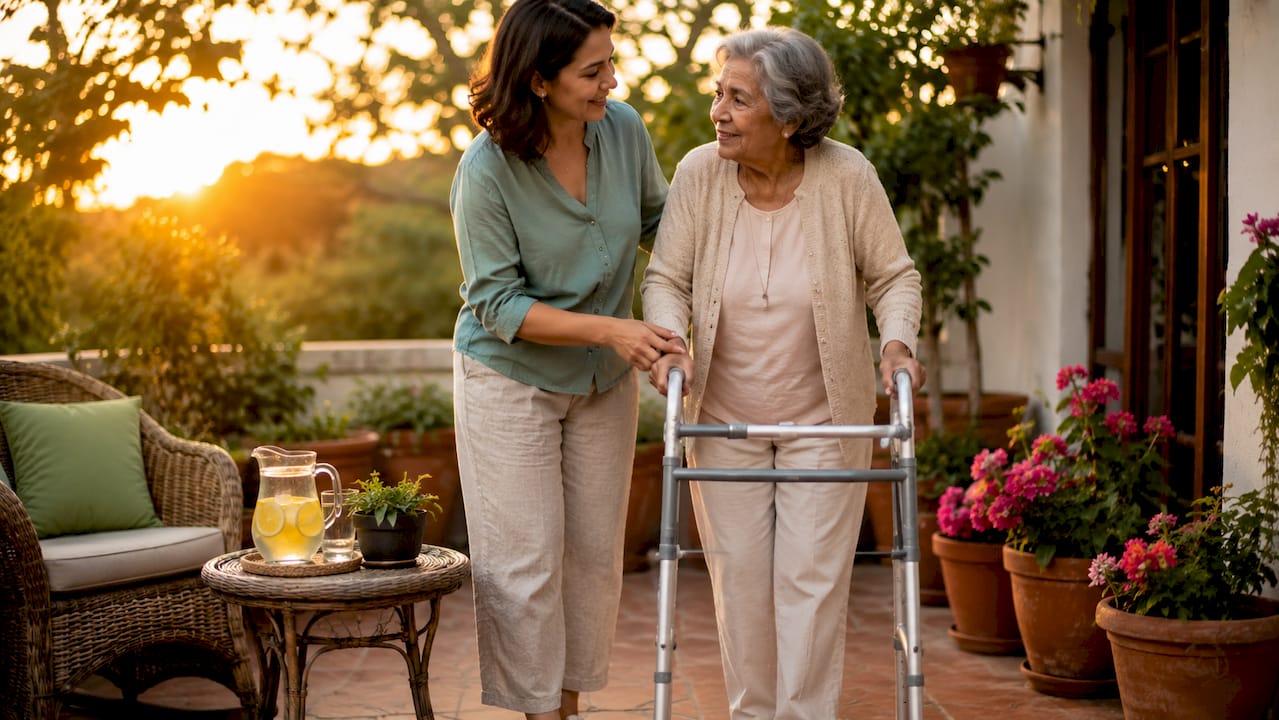
One in three adults over 65 experiences a fall each year. Mobility aids are the most direct way to reduce that risk. A standard cane provides roughly 25% weight support and works well for mild balance issues. A rollator adds wheels, hand brakes, and a built-in seat, which suits parents who need to rest during walks. The key difference between a walker and a rollator is that a rollator requires the user to manage hand brakes actively. That matters more than most people realize.
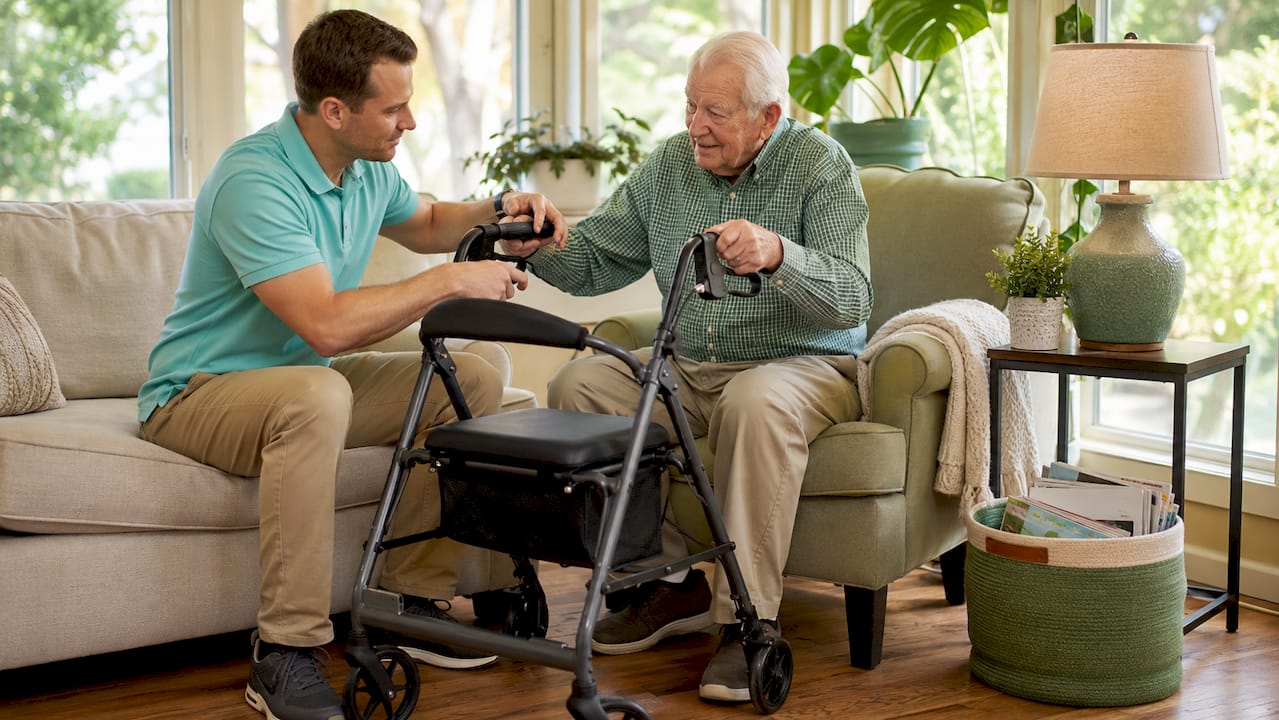
Pro Tip: Ask your parent's doctor or a physical therapist to recommend the specific mobility aid before you buy. The wrong choice can actually increase fall risk.
Missed or doubled doses are a serious safety issue for older adults managing multiple prescriptions. Smart medication dispensers range from simple standalone units to connected devices with caregiver notifications. They sort pills by dose and time, then alert the user when it is time to take them. For parents with early memory challenges, this device removes one of the most stressful daily tasks from the equation. If managing multiple prescriptions has become overwhelming, our complete guide to medication management for seniors provides a step-by-step approach.
Voice assistants like Amazon Alexa or Google Assistant give your parent a hands-free way to set reminders, make calls, check the weather, and control smart home features. The learning curve is low, and the daily benefit is immediate. Helping-mom has covered how voice technology supports independence for older adults living at home. For parents who live alone, a voice assistant also provides a simple way to stay connected to family throughout the day.
Grab bars are among the most effective and least expensive safety tools available. Home modifications like grab bars reduce fall-related hospitalization risk significantly. Install them beside the toilet, inside the shower, and along any steps your parent uses regularly. Avoid suction-cup grab bars for permanent support — properly anchored grab bars installed into wall studs provide the safest and most reliable protection. Unlike most adaptive equipment, grab bars require no training and no charging. They work every single time.
Motion sensors track your parent's daily movement patterns and alert you when something seems off. Smart cameras and motion sensors help detect falls and monitor routines for seniors living alone. Some systems send automatic alerts to family members if no movement is detected for an unusual period. This gives you peace of mind without requiring your parent to remember to press a button.
For parents with limited lower-body strength or endurance, a wheelchair or mobility scooter restores the ability to move through the home and community independently. Manual wheelchairs work well indoors and for shorter distances. Power scooters suit parents who want to get outside or cover longer distances without assistance. The right choice depends on your parent's upper-body strength, home layout, and how much outdoor mobility matters to them.
Daily living tasks like eating, buttoning a shirt, or putting on shoes become genuinely difficult with arthritis or reduced grip strength. Adaptive utensils have weighted handles and angled heads that reduce the effort needed to eat independently. Dressing aids include long-handled shoehorns, button hooks, and sock aids that let your parent dress without bending or straining. These tools are inexpensive, require no setup, and protect dignity in a very direct way.
Automatic lighting removes one of the most common nighttime fall hazards. Motion-activated lights in hallways and bathrooms turn on the moment your parent gets up, without requiring them to find a switch in the dark. Smart locks let family members check door status remotely and grant access without a physical key. Together, these smart home devices for elderly adults reduce accident risk while increasing your parent's sense of autonomy.
For parents with mild cognitive decline, memory aids and trackers provide a practical safety net. Digital clocks that display the day, date, and time in large text reduce confusion. GPS trackers worn as a watch or clipped to a bag let family members locate a parent who has wandered. These tools do not replace a care plan, but they extend the window of safe independent living considerably.
Hearing and vision changes can quietly affect your parent's safety and quality of life. They may miss an important phone call, struggle to read medication labels, or fail to hear a smoke alarm. The right support device helps them stay connected and aware without drawing unnecessary attention to the challenge.
For parents experiencing hearing difficulties, consider:
For parents managing vision loss or low vision:
These devices are often overlooked in conversations about home safety, but they address problems your parent may not even mention — like gradually turning up the TV louder or avoiding the phone because voices sound muffled. Small, thoughtful tools in this category can restore confidence in everyday activities.
Choosing well starts with a clear-eyed look at your parent's current abilities. Personalized assessments considering balance, strength, cognitive function, and home layout produce the best results. A device that works perfectly for one person may be frustrating or even unsafe for another.
Remember that many parents initially resist assistive devices because they associate them with losing independence. Instead of presenting a device as something they "need," frame it as something that helps them continue doing the things they enjoy safely. The conversation often goes much better when the focus is independence rather than limitation.
Here is a practical framework for evaluating options:
For hearing-related needs, safe ear care for elderly adults is a separate but related consideration, particularly when evaluating whether a parent is struggling to hear alarms or voice prompts from their devices.
Pro Tip: Involve an occupational therapist in the selection process. They assess your parent's home and abilities together, which produces far more accurate recommendations than online research alone.
The biggest mistake caregivers make is waiting for a fall or crisis before introducing a device. Adult children often wait until emergencies to introduce devices, but early practice builds confidence and muscle memory. A cane introduced after a fall feels like a symbol of loss. The same cane introduced proactively feels like a practical tool.
Devices unused due to complexity or charging needs fail to support independence. This is one of the most common and preventable problems in assistive device adoption. Choose the simplest option that meets the need. A basic grab bar outperforms an unused smart sensor every time.
Rollators require manual operation of hand brakes, which can be difficult for parents with arthritis or cognitive challenges. In those cases, a standard walker or a professional evaluation is the safer path.
"The most effective assistive devices are not necessarily the most advanced. They are the ones that are easy to use, reliable, and fit into daily life without adding stress or inconvenience."
Combining devices with home safety modifications produces the best outcomes. A rollator alone does not address a slippery bathroom floor. A grab bar alone does not help your parent navigate a dark hallway at 2 AM. Think in layers, not single solutions.
The most effective assistive devices for elderly parents are those chosen based on individual mobility, cognitive function, and home layout, not by popularity or price.
| Point | Details |
|---|---|
| Match device to the person | Assess balance, strength, cognition, and home layout before selecting any device. |
| Introduce devices early | Practice before a crisis builds confidence and makes adoption far more likely. |
| Simplicity drives success | Devices that are easy to use get used; complex tools get abandoned. |
| Layer devices and modifications | Combine grab bars, lighting, and mobility aids for full home safety coverage. |
| Involve professionals | Occupational therapists and doctors provide guidance that online research cannot replace. |
Use this quick-reference table to compare devices at a glance and find the right starting point for your parent.
| Device | Best For | Requires Training? |
|---|---|---|
| Medical Alert System | Emergency response | Minimal |
| Grab Bars | Bathroom safety | No |
| Walker | Balance problems | Yes |
| Rollator | Walking longer distances | Yes |
| Medication Dispenser | Multiple medications | Minimal |
| Motion Lights | Nighttime safety | No |
| Voice Assistant | Reminders and communication | Minimal |
I've seen a lot of families approach this the same way: they wait until something goes wrong, then scramble to find a solution. A parent falls. A medication gets missed. Suddenly everyone is researching walkers and alert systems at midnight. I understand why it happens. Bringing up assistive devices feels like a difficult conversation, and nobody wants to have it before they have to.
But the families who do this well take a different approach. They introduce a grab bar before the bathroom feels dangerous. They set up a medication dispenser before the missed doses start. They frame it as practical planning, not a sign of decline. That framing matters enormously to your parent's willingness to accept help.
The other thing I've noticed is that caregivers often overestimate how much technology their parent will actually use. A $300 smart device that requires daily charging and a Wi-Fi connection may sit unused after the first week. A $15 grab bar gets used every single day. The best assistive technologies are the ones that fit quietly into your parent's existing routine. Start simple. Add complexity only when the simpler option genuinely falls short.
Your goal isn't to make every decision for your parent. It's to remove unnecessary risks while preserving as much independence, dignity, and confidence as possible. The right assistive device doesn't take away freedom — it often protects it.
— Mike
Every family starts somewhere.
You don't need to buy everything on this list today. Choose the one device that addresses your parent's biggest challenge first. Small improvements made consistently often have the greatest impact on safety and confidence.
Helping-mom is built for exactly the situation you are in right now: trying to make practical decisions for a parent who wants to stay home safely. The practical guide to home safety for seniors walks through the most important modifications and devices room by room, with clear guidance on what to prioritize first. You can also use the aging in place checklist to assess your parent's home and identify gaps before they become problems. Both resources are free, straightforward, and written for adult children who need real answers, not medical jargon.